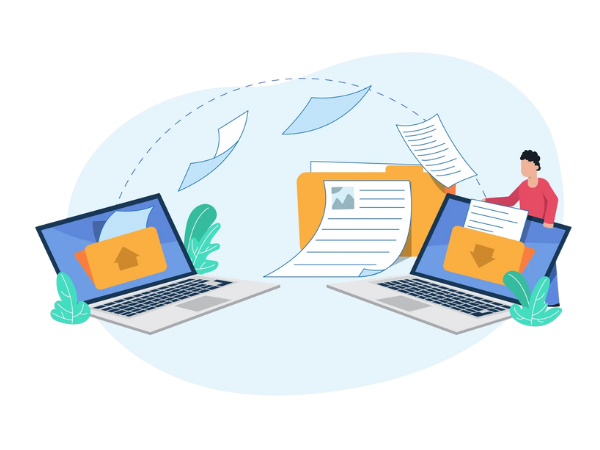
NetForChoice secure file sharing lets your team store, sync and share business files while you decide who can view, download or edit them. Links expire on the date you set and access can be revoked at any moment. Staff work safely from the office, from home or on the move, with no VPN needed.
 Strong encryption
Multi factor login
24x7 support
Share faster than email and with more control than public links.
Big files and datasets move without FTP or attachment limits.
Data Migration ServiceFiles stay current on all devices and earlier versions restore on demand.
Acronis Cloud BackupMatch the sharing method to who needs the file.
Shared folders with role based rights.
Best for: Departments and projectsControlled links for clients and vendors.
Best for: Agencies and suppliersAccess from anywhere without a VPN.
Best for: Hybrid workforcesFiles on phones with the same controls.
Best for: Sales and site staffNetForChoice offers secure file sharing through NFC Vaultize, with protection at every step.
Files protected in storage and on the move.
A second check before anyone gets in.
Rules stop sensitive files leaking out.
Version history helps you roll back.
Every view, edit and share recorded.
Engineers available 24x7.
Email attachments and open links leave no record and no way back.
Copies spread across inboxes you do not control.
Public links stay live long after a project ends.
Unsafe transfers open a door for attackers.
Nobody knows who opened what.
Missing logs fail data protection reviews.
FTP servers and VPNs waste staff time.
NetForChoice sets up and supports your file sharing platform, so you get enterprise level control without building it in house. Admins see every action in detailed audit reports.
Mistakes get fixed fast because shared access can be pulled back at any time.
Best for: Law firms, finance teams, healthcare providers, agencies and any business that sends sensitive files to clients or partners.
Audited security practices guide how NetForChoice hosts and protects your shared files.
Use these checks to compare enterprise file sync and share vendors.
Large files without limits.
View, download and edit rights.
Access that ends on time.
Who, when and where.
Files locked in storage.
Multi factor sign in.
Records for compliance.
Help around the clock.
Tell us how many users share files and with whom, and we will plan your setup.
Three common ways to move business files.
| What matters | NetForChoice file sharing | Email attachments | FTP server |
|---|---|---|---|
| Large files | No size limit | Small size caps | Yes |
| Access rights | View, download, edit | None after sending | Folder level |
| Revoke access | Any time | Never | Manual |
| Tracking | Who, when, where | No | Basic logs |
| Mobile use | Built in | Yes | Awkward |
| Fits | Sensitive business files | Quick casual notes | Legacy transfers |
Sectors that swap sensitive files every day.
Statements sent with tracking.
Reports shared with care.
Drawings sent to vendors.
Large video files delivered.
Client assets on expiring links.
Files shared with audit trails.
Course material kept in check.
Guest documents handled safely.
Ratings and remarks from teams that share files through NetForChoice.
 4.9★★★★★Google Reviews
 4.8★★★★★Website Planet
 4.7★★★★★HostingSeekers
 4.6★★★★★HostAdvice
"Migration to the cloud platform was made so effortless by NetForChoice. The server was installed, and most importantly, zero downtime. I have been with their team to implement Disaster Recovery in our environment."
"I have been using the Linux dedicated server of NetForChoice for years and I have never once had an issue with them. They always resolved it quickly and efficiently, saving me time and money in the process."




Answers to common questions about sharing business files safely.
Secure file sharing means sending files with encryption, access rights and tracking, so only approved people open them.
Yes. Encryption and access control protect important data from unauthorised access while teams work together.
Revoke access instantly, set an expiry date or tighten permissions to stop misuse of the shared file.
Business data stays protected, breaches become less likely and only authorised users can share files.
Yes. Authentication, monitoring and version history reduce risk from ransomware, phishing and data leaks.
NFC Vaultize from NetForChoice sets no file size limit, so large files and datasets move without FTP.
No. Staff open files securely from the office, home or on the move without a VPN.
Yes. Controlled access links let you collaborate with clients and partners and pull access back any time.
Yes. Real time tracking and detailed audit logs show who accessed a file, when and from where.
Yes. Auto sync keeps files current across devices and earlier versions can be restored on demand.
Yes. Users access, view and manage files from mobile devices with the same security rules.
File sharing controls who gets a file you send. Our cloud DLP solution watches all channels for sensitive data leaving the business.
Combine file sharing with these security solutions.
Share your user count, file sizes and partners. We suggest a setup and quote it in writing.
Large file transfers, access rights, expiring links and audit logs on any device.
Short reads for teams that share sensitive files.