10 Questions to Ask Before Choosing a Colocation Data Center Provider


Are You Paying Too Much for IT Infrastructure That Still Lets You Down?
If you’ve ever dealt with unexpected server downtime, skyrocketing hardware costs, or a data center that couldn’t scale with your business, you’re not alone. Thousands of companies face the same frustration every year.
A colocation data center offers a smarter alternative. Instead of building and maintaining your own server room, you rent space inside a professional facility that handles the power, cooling, security, and connectivity while you keep full ownership and control of your hardware.
But here’s the catch: not all colocation providers are built the same. Choosing the wrong one can cost you far more than you saved. Before you sign any contract, there are 10 essential questions you need to ask.
What Is a Colocation Data Center?
A colocation data center (often called “colo”) is a shared facility where businesses rent physical space to house their own servers and networking equipment.
Think of it this way: instead of running your servers in a back office or basement, you place them in a professionally managed building that was built specifically to keep technology running 24/7.
When you colocate, you’re essentially renting the following:
- Rack space or cage space to house your hardware
- Reliable power with backup generators and redundant feeds
- Precision cooling systems to prevent overheating
- High-speed internet connectivity through multiple carriers
- Physical and digital security to protect your equipment
Who typically uses colocation?
- Small and medium-sized businesses (SMBs) that want enterprise-level infrastructure without the enterprise price tag
- Large enterprises looking to reduce capital expenditure on owned facilities
- Startups scaling rapidly that need reliable infrastructure before they’re ready for a fully owned data center
- Companies in regulated industries (healthcare, finance, legal) that need strict compliance and security standards
In short, colocation gives you the best of both worlds: the control of owning your hardware and the reliability of a professional-grade facility.
Why Asking the Right Questions Matters
Here’s the truth the colocation industry is full of providers who look impressive on paper but underdeliver in practice. Uptime guarantees differ. Security standards vary. And the real costs are often buried in the fine print.
One bad decision can mean the following:
- Hours of costly downtime during your busiest periods
- Data loss or breaches due to weak security protocols
- Surprise fees that blow your IT budget
- Zero room to grow when your business scales
That’s why due diligence isn’t optional it’s essential. Whether you’re evaluating a single provider or comparing multiple data center colocation services, use these 10 questions as your filter to separate the great providers from the risky ones.
10 Questions to Ask Before Choosing a Colocation Data Center Provider
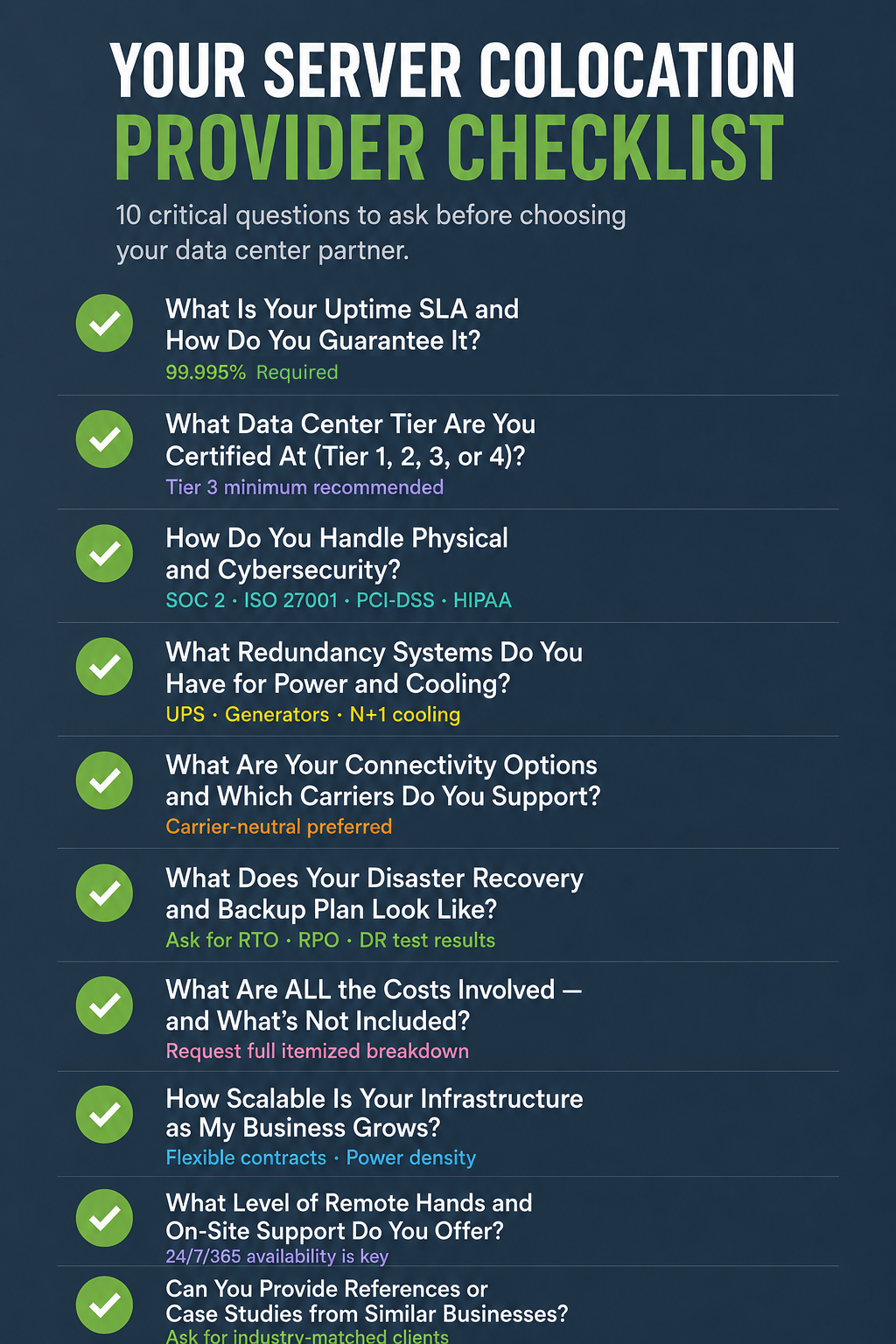
Q1. What Is Your Uptime SLA and How Do You Guarantee It?
Uptime is the single most important metric for any colocation provider. It refers to how often their facility is fully operational and accessible.
Ask for a written Service Level Agreement (SLA) that spells out their uptime commitment. Industry standard is 99.995% uptime, which translates to less than 6 minutes of downtime per year.
But don’t just accept the number ask how they guarantee it. What monitoring systems do they use? What happens if they fail to meet the SLA? Do you receive service credits? A provider confident in their infrastructure will back their promises with real consequences if they fall short.
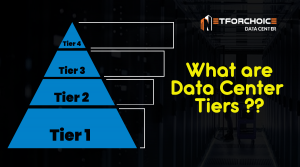
Q2. What Data Center Tier Are You Certified At (Tier 1, 2, 3, or 4)?
The Uptime Institute Tier Classification is the global standard for measuring data center reliability. Understanding which tier a facility holds tells you a lot about its infrastructure.
Here’s a quick breakdown:
- Tier 1 – Basic infrastructure, ~99.671% uptime. No redundancy.
- Tier 2 – Some redundancy, ~99.741% uptime.
- Tier 3 – Concurrently maintainable, ~99.982% uptime. Most popular for business use.
- Tier 4 – Fault tolerant, ~99.995% uptime. Maximum redundancy and resilience.
Q3. How Do You Handle Physical and Cybersecurity?
Your servers may be sitting in someone else’s building, but they still hold your data. Physical and digital security must be airtight.
On the physical security side, look for:
- 24/7 on-site security personnel
- Biometric access controls (fingerprint or retina scans)
- Multi-factor authentication to enter secure areas
- CCTV surveillance throughout the facility
- Mantrap entry systems to prevent tailgating
On the cybersecurity side, ask about:
- Firewall and DDoS protection at the network level
- Intrusion detection and prevention systems (IDS/IPS)
- Compliance certifications such as SOC 2 Type II, ISO 27001, PCI-DSS, or HIPAA (depending on your industry)
Q4. What Redundancy Systems Do You Have for Power and Cooling?
Power failures and overheating are two of the most common causes of data center downtime. Your provider needs robust systems in place to handle both.
For power redundancy, ask about:
- UPS (Uninterruptible Power Supply) systems to bridge power during outages
- Diesel backup generators that activate automatically
- Dual power feeds from separate utility sources (A+B power)
For cooling redundancy, ask about:
- N+1 or 2N cooling configurations (meaning backup units exist if one fails)
- Temperature and humidity monitoring systems
- Airflow design (hot aisle/cold aisle containment)
Q5. What Are Your Connectivity Options, and Which Carriers Do You Support?
A colocation facility is only as good as its network. Poor connectivity defeats the entire purpose of colocating.
Ask the provider:
- Are you a carrier-neutral facility? (This means they allow multiple internet providers, giving you choice and competitive pricing.)
- Which Tier 1 internet carriers do you have agreements with?
- Do you offer direct cross-connects to cloud providers like AWS, Azure, or Google Cloud?
- What are your available bandwidth speeds and burstable options?
- Is there an on-site Internet Exchange (IX) for low-latency peering?
Q6. What Does Your Disaster Recovery and Backup Plan Look Like?
No matter how robust a facility is, disasters can happen floods, fires, power grid failures, and cyberattacks. What matters is how your provider responds.
Key questions to ask:
- Do you have a documented Business Continuity Plan (BCP)?
- How quickly can you restore services after a major incident (RTO – Recovery Time Objective)?
- How much data could potentially be lost in a worst-case scenario (RPO – Recovery Point Objective)?
- Do you operate geographically redundant facilities where data can fail over?
- Have you actually tested your disaster recovery plan recently?
Q7. What Are ALL the Costs Involved — and What’s Not Included?
One of the most common complaints about colocation providers is hidden fees. The base price often doesn’t tell the whole story.
Make sure you ask about:
- Setup fees and installation charges
- Power usage costs (per kilowatt or included in a flat rate?)
- Cross-connect fees for linking your equipment to carriers
- Remote hands fees (more on this in Q9)
- Bandwidth overage charges if you exceed your allotment
- Contract termination fees if you need to exit early
Q8. How Scalable Is Your Infrastructure as My Business Grows?
Your business today is not your business in three years. Your colocation provider needs to grow with you.
Ask about:
- Can I add rack space or power capacity without relocating to a different facility?
- Do you offer flexible contract terms (month-to-month, annual, multi-year)?
- What is the maximum power density per rack you can support? (Especially important for GPU-intensive or AI workloads)
- Do you have cage space or private suites available if I need dedicated space?
- What is the typical lead time to expand my footprint?
Q9. What Level of Remote Hands and On-Site Support Do You Offer?
Remote hands is a service where trained data center technicians perform physical tasks on your equipment — like rebooting a server, swapping a cable, or installing a drive — without you needing to travel to the facility.
This service is invaluable, especially for businesses that don’t have local IT staff near the data center.
Ask:
- Is remote hands support available 24/7/365?
- What tasks are included in the base contract, and what costs extra?
- What is the typical response time for a remote hands request?
- Do your technicians have experience with my specific hardware or vendor equipment?
- Do you offer Smart Hands (more advanced technical support beyond basic physical tasks)?
Q10. Can You Provide References or Case Studies from Similar Businesses?
Any colocation provider worth your business should be able to point you to happy customers who look a lot like you.
Ask for:
- References from clients in your industry or of similar size
- Case studies that show measurable outcomes (uptime improvements, cost savings, scalability wins)
- Online reviews on platforms like Gartner Peer Insights, G2, or Trustpilot
- Answers to “What were some challenges you faced, and how did you resolve them?”
Conclusion
Choosing a colocation data center is one of the most consequential infrastructure decisions your business will make. The right provider gives you reliability, security, scalability, and peace of mind. The wrong one can expose you to downtime, data loss, surprise costs, and serious business disruption.
These 10 questions aren’t just talking points they are your professional due diligence checklist. They cut through marketing language and surface the real capabilities, commitments, and limitations of any data center colocation services provider you’re evaluating.
Before signing any contract, use this checklist as your guide. Compare answers across providers, request documentation, and speak to their existing clients. The time you invest upfront will pay dividends in infrastructure stability for years to come.

Frequently Asked Questions (FAQs)
- What is a colocation data center and how does it work?
A colocation data center is a shared facility where businesses rent physical space — such as racks, cages, or suites — to house their own servers and IT equipment. The facility provides power, cooling, connectivity, and security, while you retain full ownership and management of your hardware. It’s a cost-effective alternative to building and maintaining your own private data center.
2. What is the difference between colocation and cloud hosting?
With cloud hosting, you rent virtual computing resources (servers, storage, and databases) from a provider like AWS or Azure you don’t own any physical hardware. With colocation, you own your physical servers and rent space in a professional facility to house them. Colocation typically offers more control, better performance for predictable workloads, and lower long-term costs, while cloud hosting offers more flexibility and scalability for dynamic workloads.
3. Is a colocation data center safe for sensitive data?
Yes — when you choose the right provider. Reputable colocation facilities maintain strict physical and digital security protocols, and many are certified under compliance frameworks like SOC 2 Type II, ISO 27001, PCI-DSS, and HIPAA. Always verify a provider’s certifications and request their security audit reports before signing a contract.
4. What is “remote hands” service in colocation?
“Remote hands” is a service offered by colocation providers where their on-site technicians perform physical tasks on your behalf, such as rebooting a server, connecting cables, inserting hardware, or troubleshooting equipment. It eliminates the need to travel to the facility for routine or emergency physical tasks, making it especially valuable for businesses without local IT staff near the data center.